Create a watchlist
To create a watchlist, go to the tab 'Prices and Indices' and click on 'Commodities'.
In the table 'Results', you can click on the orange button '+Add commodities' to make your own commodity selection and chart. After all the commodities have been chosen, you click on '+Add selection'.


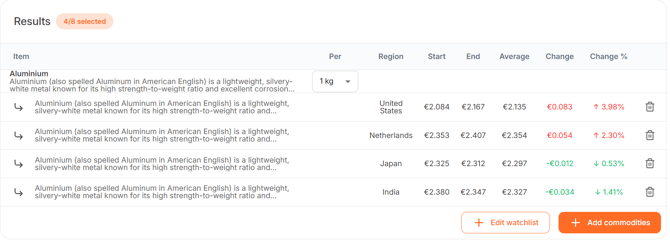
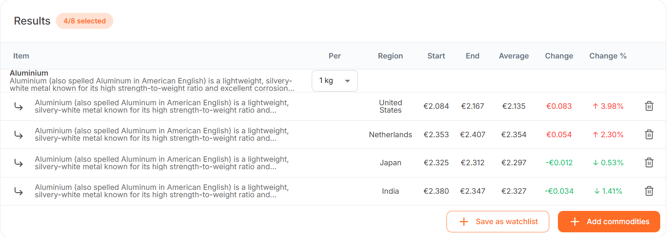
In the 'Results' table, you will see the chosen commodities and their price development. You are then able to click on '+Save as watchlist' and give it a name.
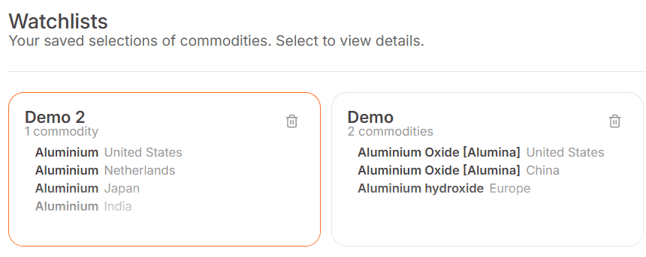
When a watchlist is created, you will find it at the top op the page under 'Watchlists'. Every time you would like to see those commodities again, the only thing you have to do is click on that particular watchlist and the table and graph will show.
Change an existing watchlist
You are always able to edit an existing watchlist. In order to do so, click on the watchlist you would like to change.
Then scroll to the 'Results' table and make the preferred changes. By deleting or adding new commodities, you can modify the selection as you wish.
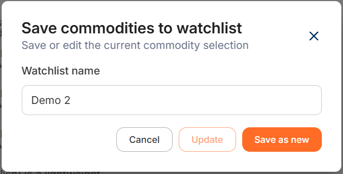
After all changes are made, click on '+ Edit watchlist'. You can then choose between two options:
- You can then give it a new name to make a new watchlist. The initial watchlist will then remain and the new watchlist with the changes will be saved as a new watchlist. Please note; the name must be different from the initial watchlist.
- You can overrule the initial watchlist by clicking on 'Update'. Then, the changes will be visible in the watchlist. You may choose to give it a new name, but this is not mandatory.