In the WTP application, you can gain insights into various transport routes using 'Freight
Indices'. To do this, go to the menu bar and click on 'Prices & indices', then on 'Freight
Indices'.
Date Range
The first step to make the desired indices visible in the WTP application is to select the desired 'Date Range'.
Selecting a longer period makes it easier to see whether certain indices are currently relatively high or low. The indices are then displayed as a percentage.

Adding an Index
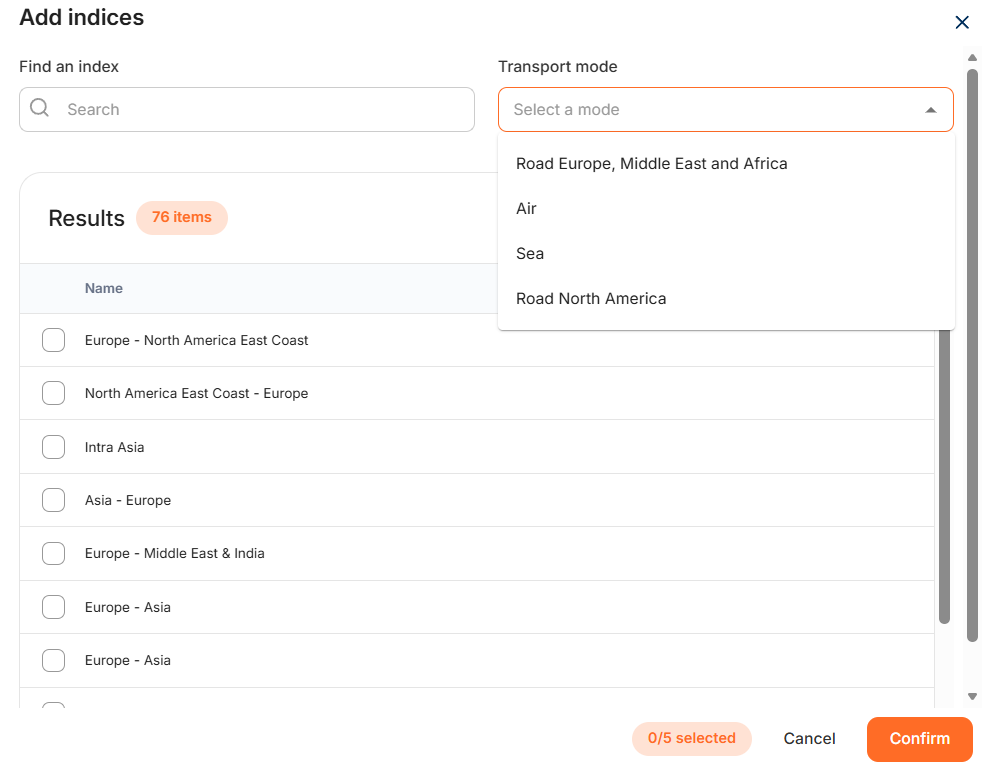
Step 1: Use the '+ Add indices' button to add indices to the chart.
Step 2: Select the correct 'Transport mode' from the drop-down menu.
Step 3: Select the relevant indices from the results.
Use the search bar to find the correct route(s) if necessary. Confirm your choice by clicking 'Confirm' at the bottom right.