Once a freight lane has been created, you can review all results.
At the top, you can see the summary of the chosen settings. If you want to change anything, just click 'Edit'.

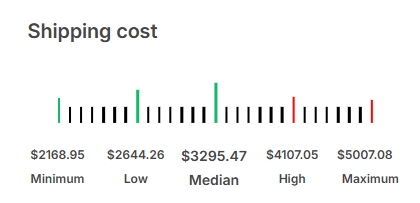
On the left hand side, you can see the average costs. The result will show a minimum, low, median, high and maximum price.
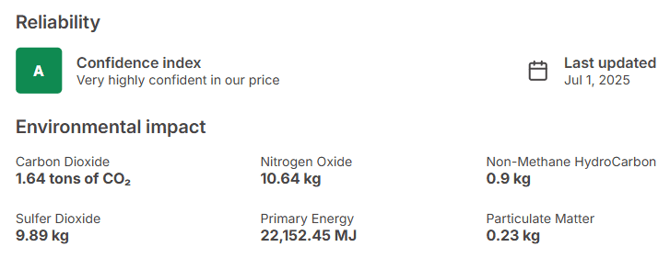
On the right hand side, you find the reliability. Based on the availability of price data on this specific freight lane, a confidence index will be shown. A very high confidence index, indicated by the letter A, means there are many prices found for that specific freight lane. Therefore, the data is based on multiple price points and it very reliable. If there is a low confidence index, indicated by the letter D or lower, the result is less reliable due to limited prices found.
Below the reliability, you can find the Environmental Impact of that particular freight lane.
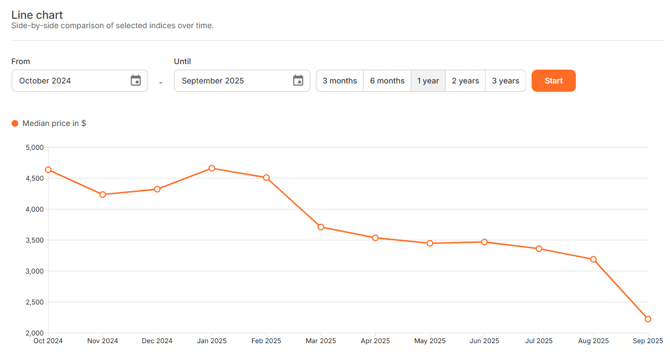
At the bottom, you can review the line chart. This graph shows the indices over time. Please select the preferred time period and click 'Start'.