
- Line Chart: The default view of your chosen commodities and/or currencies is a ‘line chart’ displayed. When you move the mouse over a specific month on a commodity line, the corresponding month and commodity price will be displayed.
-
Mutation Chart: Besides the standard line chart, you can also choose a mutation chart to display the monthly price changes of one commodity even more clearly.
By clicking on the arrow in the block within the 'Mutation Chart', you can choose which commodity will be visible in the chart. Price decreases are shown in green, while price increases are shown in red. When you move the mouse over the waterfall chart, the price per unit of measure and weight and the percentage change from the previous month are displayed. -
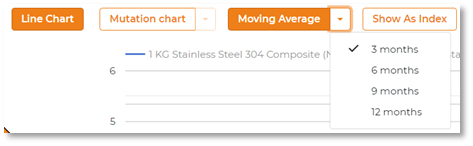
Moving Average: Besides monthly commodity prices in the line chart and waterfall chart, the progressive average option is also available. This feature is activated when you click on 'Moving average', the corresponding bar will be coloured orange.
This feature can be used together with the line chart or waterfall chart. By clicking on the little arrow next to the text 'Moving average', you can choose a 3, 6, 9 or 12-month moving average. With a 3-month moving average, each price point in the chart will be the average of the current and previous two months. By using this feature, the chart line becomes flatter and more gradual with fewer price outliers
-
Show As Index: Finally, it is possible to present commodity prices as an index. Here, the start date in the 'Date Range' field is taken as index 100.