
Navigate to 'Cost Profiles' > 'Industry Cost Profiles' to create a Custom Industry Cost Profile. Create one when the default industry averages do not accurately represent your supplier or production process.
Below the 'Your selection' table, click '+ Create custom cost profile'.

There, you can select a template, an industry, a region and a year. After selecting a template, an industry and a region, the cost components for the selected template are displayed. Expand each cost component to enter the percentages. Enter the percentages for each required cost component, such as Direct Labour, as shown in the screenshot below. Please note: The total must equal 100% before it can be created.
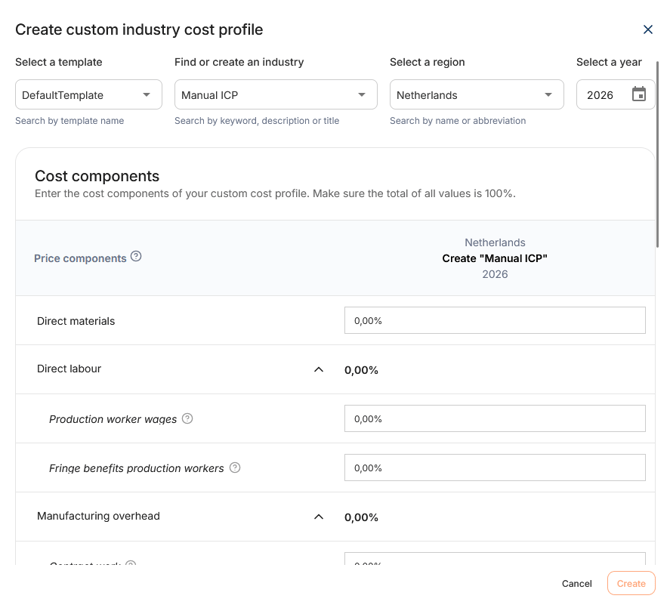
After entering all required information and the percentages, click 'Create'.
Your Custom Industry Cost Profile is added to the database and is immediately available when searching for Industry Cost Profiles.