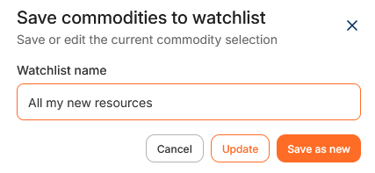
Create a watchlist
To create a watchlist, navigate to 'Prices & Indices' > 'Resources'.
In the table 'Commodity Market Prices', you can click on the orange button '+Add resources' to select the resources you want to include in your watchlist. After selecting the required resources, click on '+Add selection'.
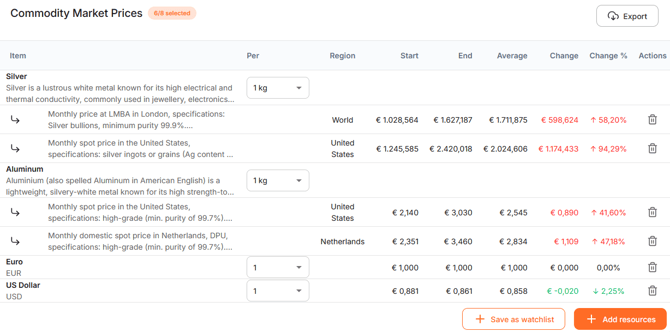
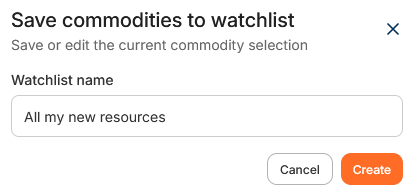
The 'Commodity Market Prices' table is updated with the selected resources and their price data. Click '+Save as watchlist' and enter a name. To save the watchlist click ´Create´.
When a watchlist is created, you will find it at the top of the page under 'Watchlists'. To reopen a watchlist, simply click its name.
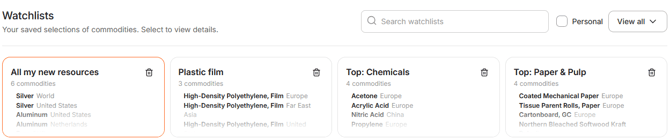
Use the search bar to find a specific watchlist. Select the 'Personal' checkbox to display only your own watchlists instead of those created by colleagues. Use the ´View all´ drop-down to display all available watchlists.
Change an existing watchlist
To edit a watchlist select the watchlist you want to change. Scroll to the 'Commodity Market Prices' table and update the selected resources. By deleting or adding new commodities, you can modify the selection as you wish.
After all changes are made, click on '+ Edit watchlist'. You can pick two options:
- You can give it a new name and click on ´Save as new´ to make a new watchlist. The original watchlist remains unchanged. The watchlist with the changes will be saved as a new watchlist. Please note; the name must be different from the original watchlist.
- Update the existing watchlist by clicking 'Update'. Your changes are applied immediately. You can also rename the watchlist without changing its contents.