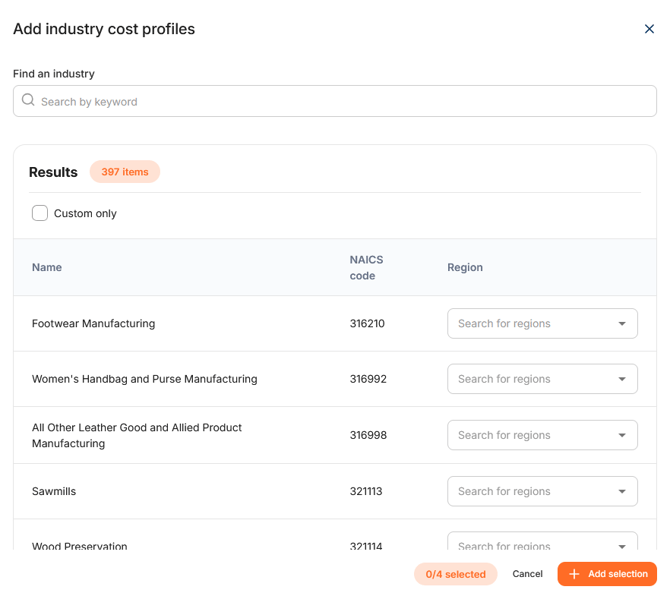
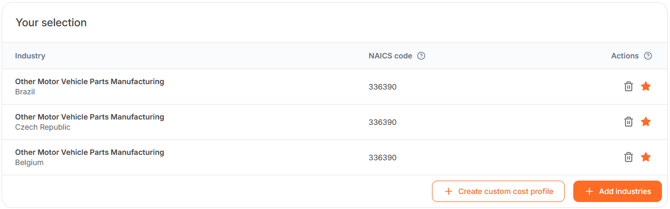
To select an Industry Cost Profile (ICP), navigate to the 'Your Selection' table and click '+Add industries'. A search window will open.
To select an Industry Cost Profile, choose:
- Industry: Search by keyword or NAICS code.
- Region: Select the country or region where the product is manufactured.
When looking for the correct NAICS code for a product, use manufacturing industries only. Manufacturing NAICS codes always start with 31, 32 or 33.
In the WTP application, it is possible to choose from 52 different production countries. In
addition, for particular countries there are over 160 regions to choose from. This was done deliberately because labour, productivity and energy costs can differ significantly between locations, making the correct region an important part of the selection.
The 'Find an industry' query allows an extensive search by manufacturing process,
product type or the main material processed. The WTP application has 364 manufacturing
industries and 10,000 industry descriptions to find the desired cost profiles.
Do you need more information on how to find the right NAICS code? See our article 'How do I find the right NAICS code?'.
Do you need more clarification on how to interpret an Industry Cost Profile? See our article 'How do I interpret an Industry Cost Profile?'.
Select multiple Industry Cost Profiles
You are able to select up to 4 different ICPs at once. You can vary between different industries and/or countries. This allows you to compare industries and regions side by side.
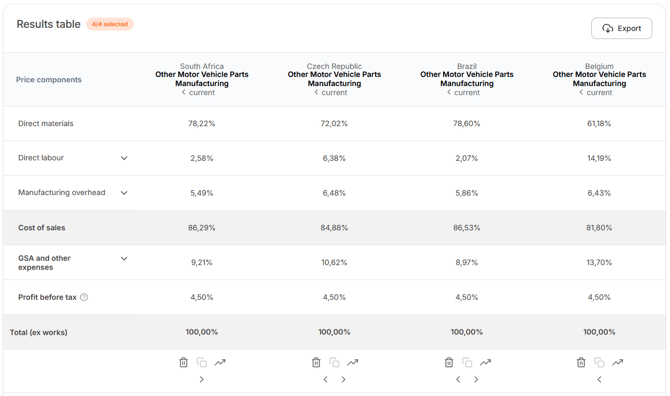
After selecting the desired industries, at the bottom of the page you will find the Results table. The Results table displays the cost breakdown for each selected ICP. Click on the arrow to view data for other available years.
In the top-right corner, click Export to download the results the Results table as a PDF or Excel file.
At the bottom of the page, the following actions are avilable for each ICP:
- Trash bin: Remove the ICP.
- Copy: Duplicate the ICP (up to four selections).
- Growth Discount: Open the Growth Discount Calculator.
Do you need more information on how to use the Growth Discount Calculator? Please review our article 'What is Growth Discount in WTP?'.
Your Favorites
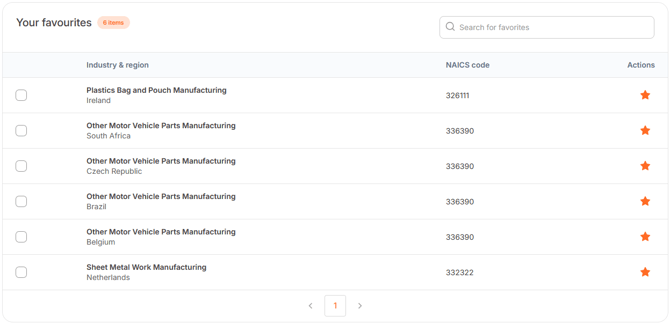
Click the Star icon next to an ICP to add it to Your Favourites. When selected, the star icon turns orange and the ICP is added to the ´Your favourites´ section at the top of the page.
Use the search bar to quickly find a favourite ICP by keyword.