
The Industry Cost Profile Management page allows you to view, edit and manage your Custom Industry Cost Profiles (CICP) and industries. For more information about CICPs, see this article.
To navigate to this page, open the Cost Profiles section in the left-hand menu and select 'Management'. On this page, all existing CICPs are displayed in the 'Custom Industry Cost Profiles Library'. If you have not created any, the list will be empty.
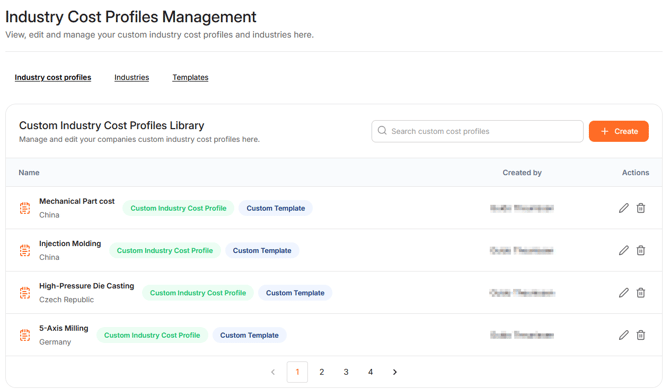
To edit or delete existing CICP, click the pencil or trash bin. To search for a specific CICP, use the search bar. You can also create a new CICP one by clicking '+Create'.
Before you create a new CICP you need an industry and a template. A CICP combines an industry with a template. The template defines the available cost components, while the industry identifies the type of industry the profile applies to.
Default templates and industries are available in the database of WTP. If you want to create your own industry or template, open the 'Industries' or 'Templates' section
Creating an Industry
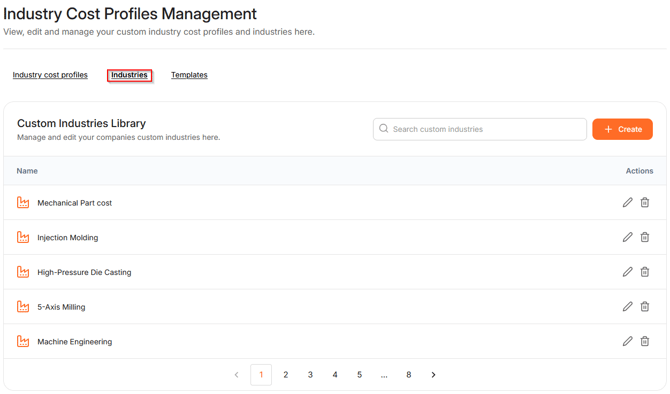
To find existing industries that can be edited or deleted, click Industries. Click '+Create' to create new industries.
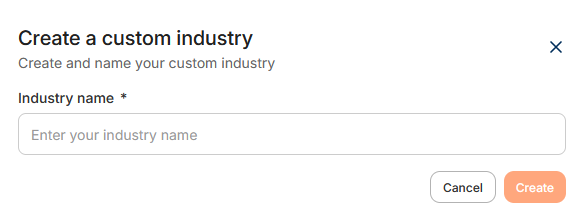
To create an Industry, enter a name and click 'Create'. The industry will be added to the list and can now be used in a CICP.
Creating a Template
To find existing templates that can be edited or deleted, click Templates. Click '+Create' to create new templates.
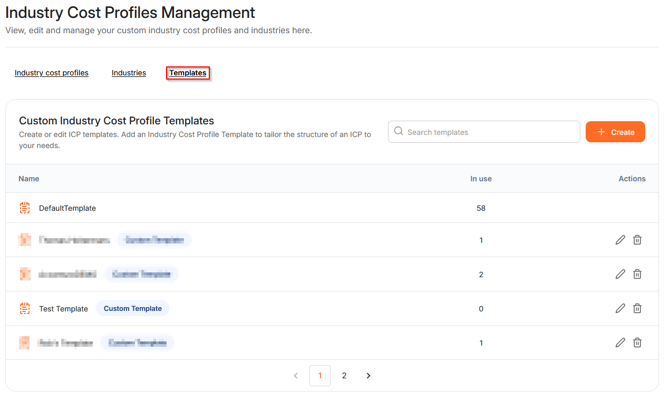
The overview shows the name of the template and the number of industries using it. To edit or delete the template, click on the pencil or trash bin. Note that the Default Template cannot be deleted.
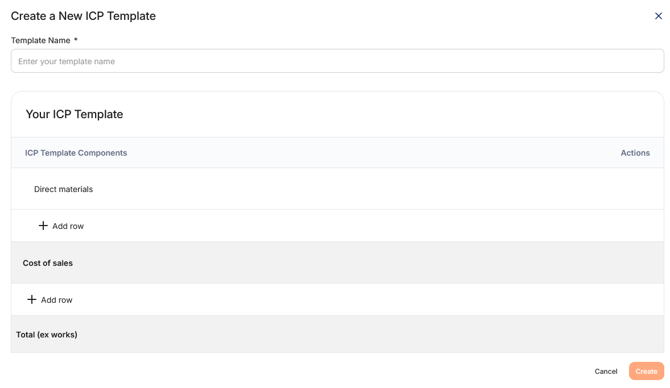
To create a new template, you need to fill in some information:
-
Template name: Define the name for this template.
- Components: Select the components that should be included in the template.
Creating a Custom Industry Cost Profile
Click '+Create' to create a CICP. Pick a template, an industry, a region and a year. A 'Cost Components' table appears. Enter the percentage for each component. The total percentage must equal 100% before you can create the CICP.
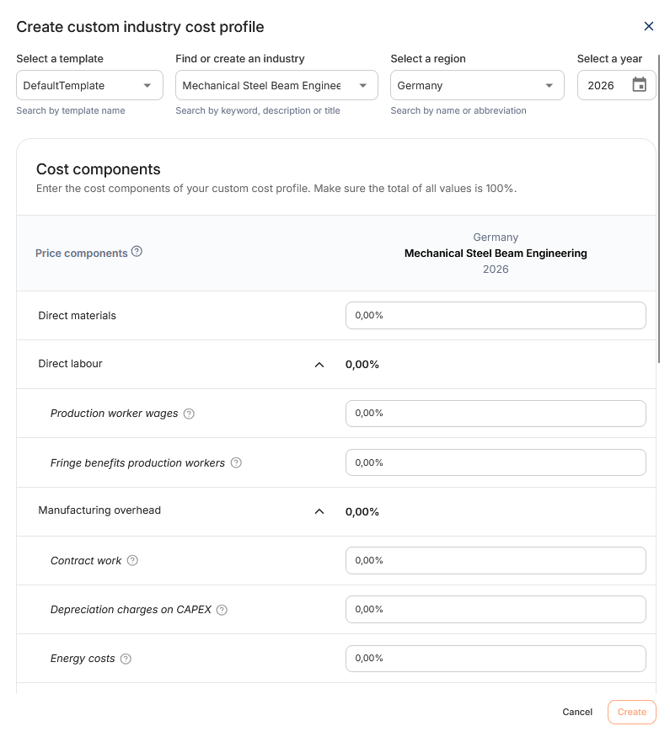
Click 'Create' to create the CICP. The CICP is added to the overview and is ready to use in your products.